概述
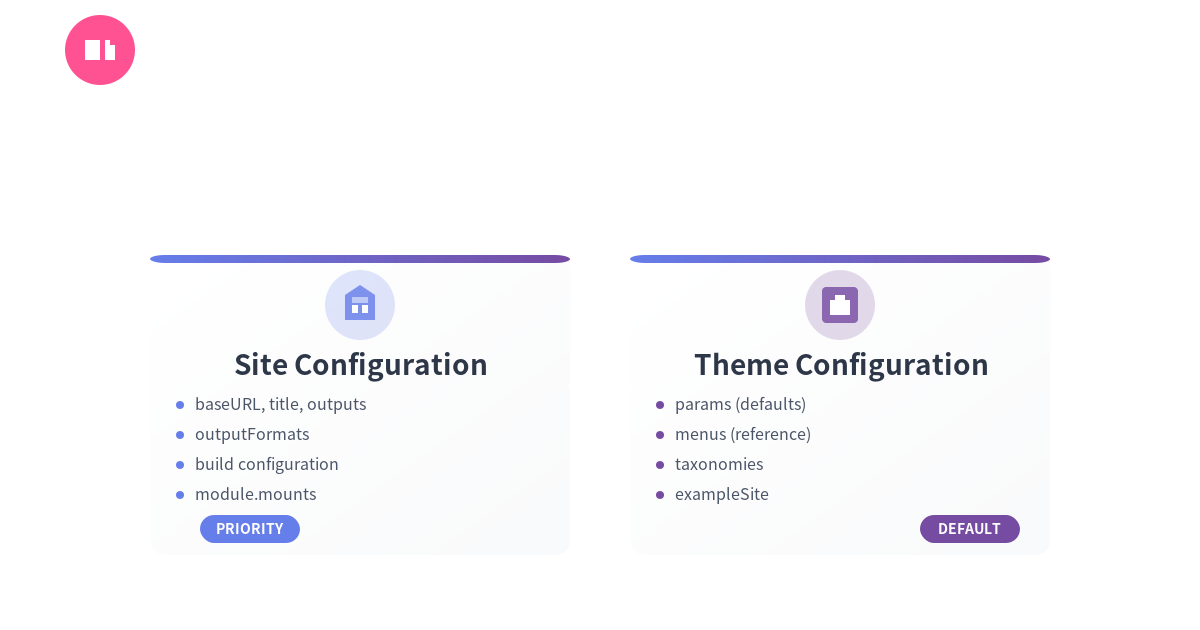
在使用 Hugo 构建网站时,理解站点级别配置和主题级别配置的区别至关重要。这不仅关系到配置是否生效,更影响主题的可复用性和站点的可维护性。
本文将详细讲解两种配置的区别、适用场景以及最佳实践。
your-site/ ├── hugo.toml # 站点主配置(推荐) ├── hugo.yaml # 或 YAML 格式 └── config/ # 或多环境配置 ├── _default/ │ └── hugo.toml ├── development/ │ └── hugo.toml └── production/ └── hugo.toml
### 主题配置文件
```text
themes/your-theme/
├── theme.toml      # 主题元信息
└── exampleSite/    # 示例站点
    └── hugo.toml   # 示例配置(供参考)
站点级别配置(Site-level)
特点
- ✅ 最终控制权:站点配置拥有最高优先级
- ✅ 构建设置:控制 Hugo 如何构建网站
- ✅ 环境特定:可以针对不同环境定制
- ❌ 不可在主题中设置:主题无法强制应用这些配置
必须在站点配置的选项
1. 基础信息
baseURL = 'https://example.org/'
languageCode = 'zh-CN'
title = '我的技术博客'
theme = 'hugo-theme-huxulm'
2. 输出格式(outputFormats)
# ⚠️ 只能在站点配置中有效
[outputFormats]
  [outputFormats.SearchIndex]
    baseName = "search"
    mediaType = "application/json"
    isPlainText = true
    notAlternative = true

[outputs]
  home = ["HTML", "RSS", "SearchIndex"]
  page = ["HTML"]
  section = ["HTML", "RSS"]
为什么必须在站点配置?
- 输出格式影响构建行为
- 不同站点可能有不同需求
- 避免主题强制输出不需要的格式
3. 构建配置(build)
[build]
  writeStats = true

  [build.buildStats]
    enable = true

  [[build.cachebusters]]
    source = 'hugo_stats\.json'
    target = 'styles\.css'
4. 模块挂载(module.mounts)
[module]
  [[module.mounts]]
    source = "node_modules/@fortawesome/fontawesome-free/css"
    target = "assets/css"

  [[module.mounts]]
    source = "assets"
    target = "assets"
5. 语言配置(多语言站点)
[languages]
  [languages.zh-CN]
    languageCode = 'zh-CN'
    languageName = '简体中文'
    weight = 1

  [languages.en]
    languageCode = 'en-US'
    languageName = 'English'
    weight = 2
主题/模块级别配置(Theme/Module-level)
特点
- ✅ 提供默认值:为主题功能提供默认配置
- ✅ 可被覆盖:站点配置会合并或覆盖主题配置
- ✅ 功能相关:通常是主题功能的参数
- ⚠️ 仅供参考:实际使用时需复制到站点配置
可以在主题中配置的选项
1. 主题参数(params)
# themes/your-theme/exampleSite/hugo.toml
[params]
  description = "默认描述"
  author = "默认作者"

  # 主题功能参数
  [params.animatedBackground]
    enable = true
    type = "particles"
    homeOnly = true
站点可以覆盖:
# your-site/hugo.toml
[params]
  description = "我的站点描述"  # 覆盖主题默认值
  author = "我的名字"

  [params.animatedBackground]
    type = "waves"  # 修改动画类型
2. 菜单定义(menus)
# 主题提供默认菜单
[menus]
  [[menus.main]]
    name = 'Home'
    pageRef = '/'
    weight = 10
站点可以重新定义:
# 完全覆盖主题菜单
[menus]
  [[menus.main]]
    name = '首页'
    pageRef = '/'
    weight = 10

  [[menus.main]]
    name = '关于'
    pageRef = '/about'
    weight = 20
3. 分类法(taxonomies)
# 主题可以定义默认分类
[taxonomies]
  tag = 'tags'
  category = 'categories'
配置优先级和合并规则
优先级顺序(从高到低)
- 🥇 站点配置 (
your-site/hugo.toml) - 🥈 环境配置 (
config/production/hugo.toml) - 🥉 主题配置 (themes/your-theme/exampleSite/hugo.toml)
合并规则
params 参数会深度合并
# 主题配置
[params]
  author = "Theme Author"
  [params.social]
    twitter = "@theme"
    github = "theme-repo"

# 站点配置
[params]
  author = "My Name"  # 覆盖
  [params.social]
    github = "my-repo"  # 覆盖
    # twitter 继承主题的值
结果:
[params]
  author = "My Name"
  [params.social]
    twitter = "@theme"    # 继承
    github = "my-repo"    # 覆盖
menus 菜单会完全覆盖
# 如果站点定义了 [menus.main]
# 主题的 [menus.main] 会被完全忽略
实际案例分析
案例 1:JSON 输出格式警告
问题:
WARN found no layout file for "json" for kind "home"
原因:
主题的 exampleSite/hugo.toml 中配置了:
[outputs]
  home = ["HTML", "RSS", "JSON"]
但这个配置不会应用到使用该主题的站点。
解决方案:
- 在站点的
hugo.toml中添加:
[outputs]
  home = ["HTML", "RSS", "JSON"]
- 创建对应的模板:
layouts/index.json
案例 2:动画背景不显示
问题: 主题提供了动画背景功能,但站点上不显示。
原因:
主题在 exampleSite/hugo.toml 中有配置,但站点没有复制。
解决方案:
# 从主题的 exampleSite/hugo.toml 复制到站点配置
[params.animatedBackground]
  enable = true
  type = "particles"
最佳实践
🎯 主题开发者
1. 提供清晰的文档
## 必需配置

将以下配置添加到您的站点 `hugo.toml`:

\`\`\`toml
[outputs]
  home = ["HTML", "RSS", "JSON"]

[params.animatedBackground]
  enable = true
\`\`\`
2. 使用 exampleSite 作为参考
themes/your-theme/
└── exampleSite/
    └── hugo.toml  # 完整的示例配置
3. 为参数提供默认值
{{ $bgType := .Site.Params.animatedBackground.type | default "particles" }}
{{ $enable := .Site.Params.animatedBackground.enable | default false }}
4. 不要假设配置存在
{{ if .Site.Params.animatedBackground }}
  {{ if .Site.Params.animatedBackground.enable }}
    <!-- 渲染动画背景 -->
  {{ end }}
{{ end }}
🎯 站点使用者
1. 从 exampleSite 复制必需配置
# 查看主题示例配置
cat themes/your-theme/exampleSite/hugo.toml

# 复制需要的部分到站点配置
2. 使用配置验证
# 查看最终合并后的配置
hugo config

# 查看特定配置项
hugo config | grep outputs
3. 分环境管理配置
config/
├── _default/
│   └── hugo.toml      # 通用配置
├── development/
│   └── hugo.toml      # 开发环境
└── production/
    └── hugo.toml      # 生产环境
快速参考表
| 配置项 | 站点配置 | 主题配置 | 说明 |
|---|---|---|---|
baseURL | ✅ 必须 | ❌ 无效 | 站点 URL |
languageCode | ✅ 必须 | ❌ 无效 | 语言代码 |
title | ✅ 必须 | ❌ 无效 | 站点标题 |
[outputs] | ✅ 必须 | ❌ 无效 | 输出格式 |
[outputFormats] | ✅ 必须 | ❌ 无效 | 自定义输出格式 |
[build] | ✅ 必须 | ❌ 无效 | 构建配置 |
[module.mounts] | ✅ 必须 | ❌ 无效 | 模块挂载 |
[params] | ✅ 可覆盖 | ✅ 提供默认值 | 深度合并 |
[menus] | ✅ 可覆盖 | ✅ 提供默认值 | 完全覆盖 |
[taxonomies] | ✅ 可覆盖 | ✅ 提供默认值 | 可继承 |
[markup] | ✅ 可覆盖 | ✅ 提供默认值 | 深度合并 |
验证配置
查看最终配置
# 查看所有配置
hugo config

# 查看特定部分
hugo config | grep -A 10 outputs

# 以 JSON 格式输出
hugo config --format json | jq '.outputs'
检查配置来源
# 查看站点配置
cat hugo.toml

# 查看主题示例配置
cat themes/your-theme/exampleSite/hugo.toml

# 比较差异
diff hugo.toml themes/your-theme/exampleSite/hugo.toml
总结
核心原则
- 📌 站点配置优先:站点配置拥有最终控制权
- 🎨 主题提供默认值:主题配置仅供参考
- 🔧 构建配置必须在站点:
outputs、outputFormats、build等 - 🎯 功能参数可继承:
params、menus可在主题中定义默认值
记忆口诀
“站点说了算,主题给建议”
- 站点配置 = 最终决策
- 主题配置 = 参考示例
推荐工作流程
- ✅ 查看主题的
exampleSite/hugo.toml - ✅ 复制需要的配置到站点
hugo.toml - ✅ 根据需求修改参数值
- ✅ 使用
hugo config验证最终配置 - ✅ 测试功能是否正常工作
相关资源
最后更新:2025-10-14